project management
plan, track, and ship — with the agent.
projects are work planning boards with typed tickets, custom fields, and five built-in views. the agent can query the backlog, create tickets from standup action items, and close them when the work is done.
project boards
organise work into initiatives, campaigns, sprints, launches, and experiments. nest projects into trees. filter by kind, status, or owner. every project is a planning surface the agent can query and update.
unified tickets
tickets are the universal work primitive — tasks, bugs, docs, ideas, content-drafts, decisions, engagements, and imported items. one schema, many kinds, one backlog.
kanban, table, roadmap, calendar
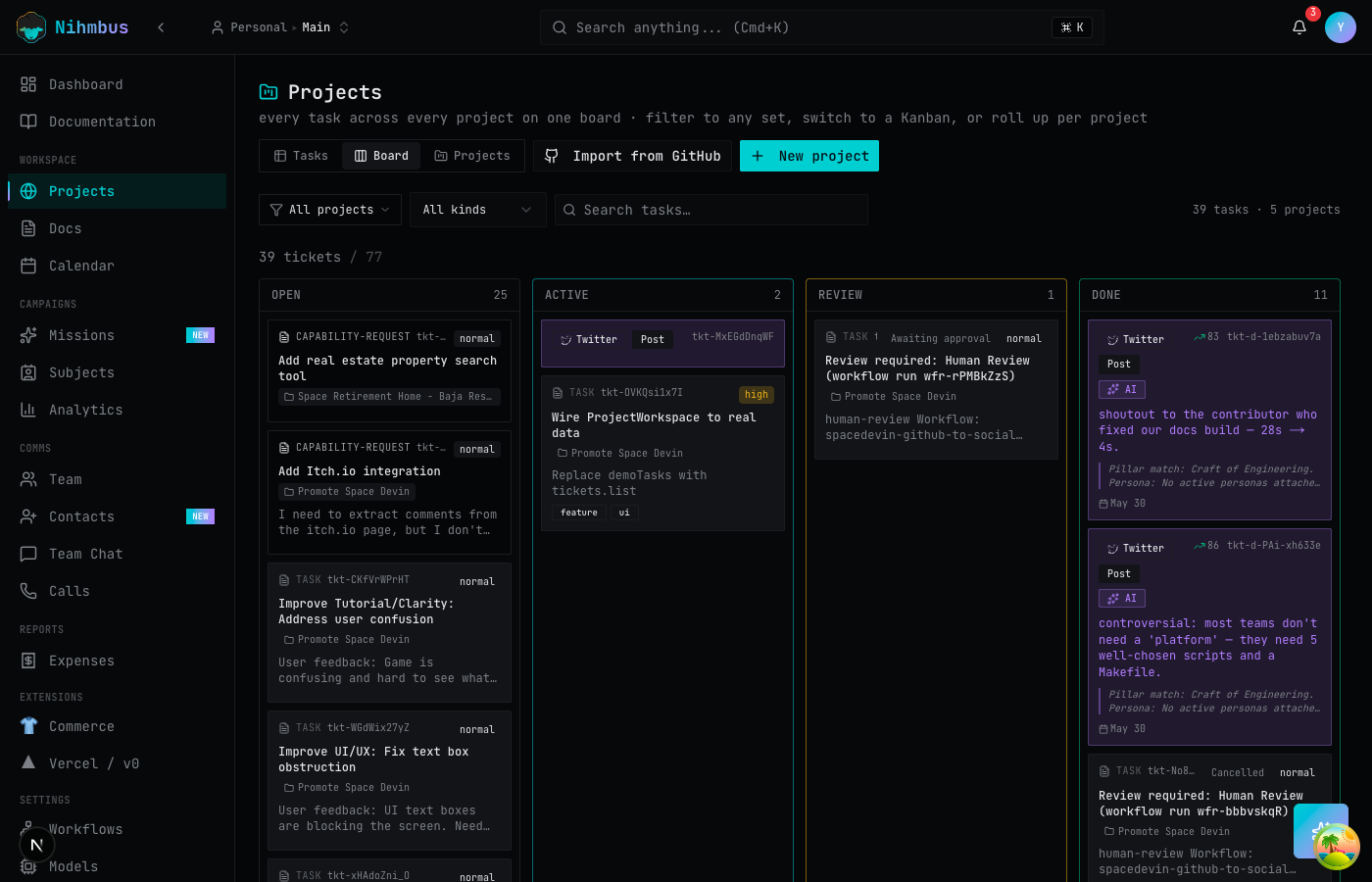
five built-in views per project. switch between board, table, roadmap, gallery, and calendar without changing the data. save views with custom filters and column visibility.
custom fields
add typed columns to any project — text, number, select, multi-select, date, checkbox. field values live on tickets and flow through views, filters, and the API.
assignees, priorities, due dates
assign tickets to team members or to the agent. set priority (critical, high, medium, low), due dates, and status. the agent respects these when planning its own work.
sub-tickets & dependencies
break work into sub-tickets. define blocking and blocked-by dependencies. the agent resolves the dependency graph when planning ticket order.
the project board
initiatives, campaigns, sprints — at a glance.
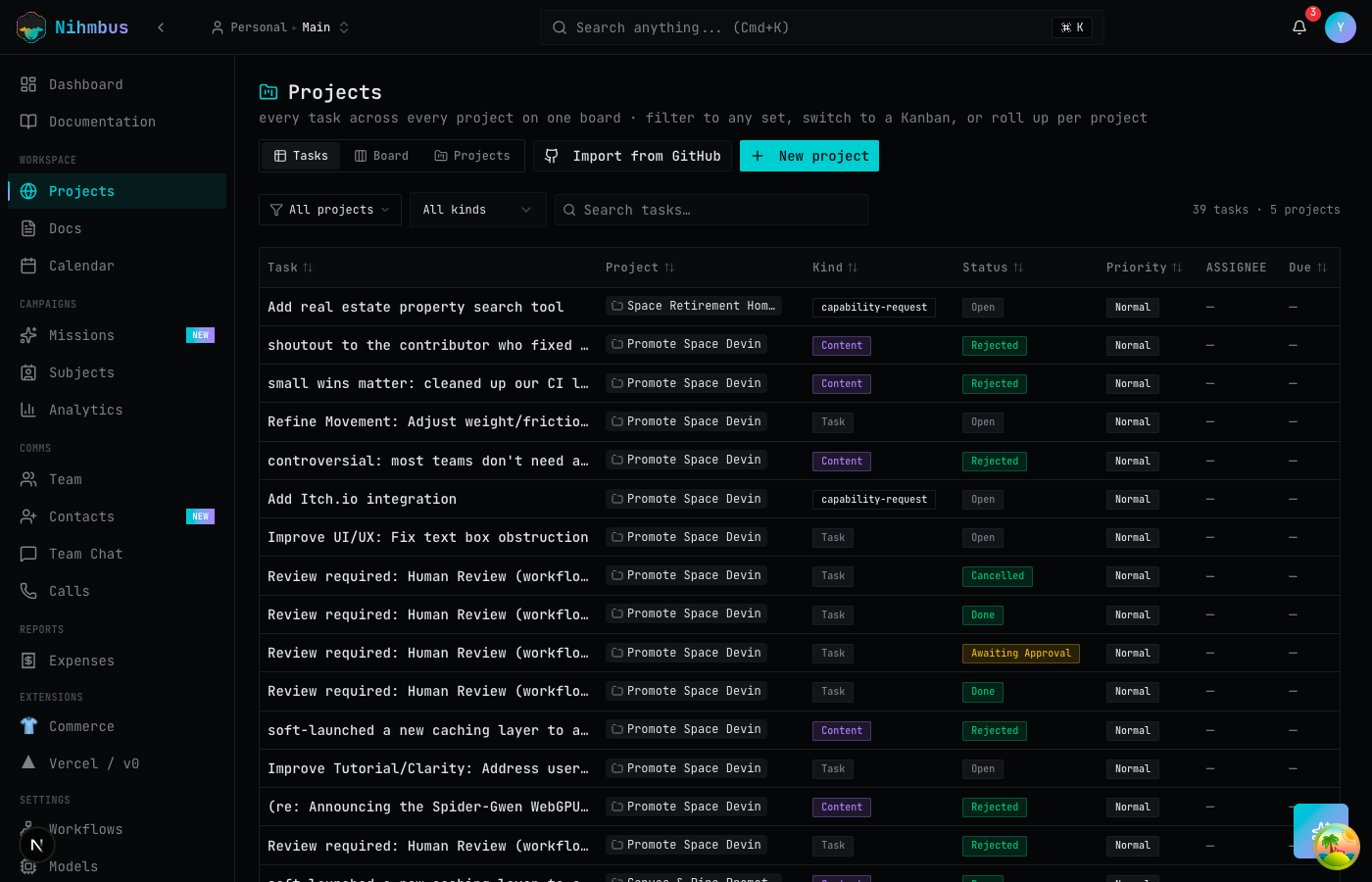
every project card shows the kind (initiative, campaign, sprint, launch, experiment), status, owner, and ticket progress. filter and search across all projects in the workspace.
kanban view
drag tickets across columns. the agent does the rest.
five built-in views — board, table, roadmap, gallery, calendar. tickets show ID, title, priority, assignee, and kind label. custom fields appear as filterable columns. switch views without losing context.
docs, canvases & standups
the knowledge layer for your projects.
rich-text documents with revision history, design canvases for visual work, and AI-facilitated standups that auto-generate action items. all native to the platform.
rich-text documents
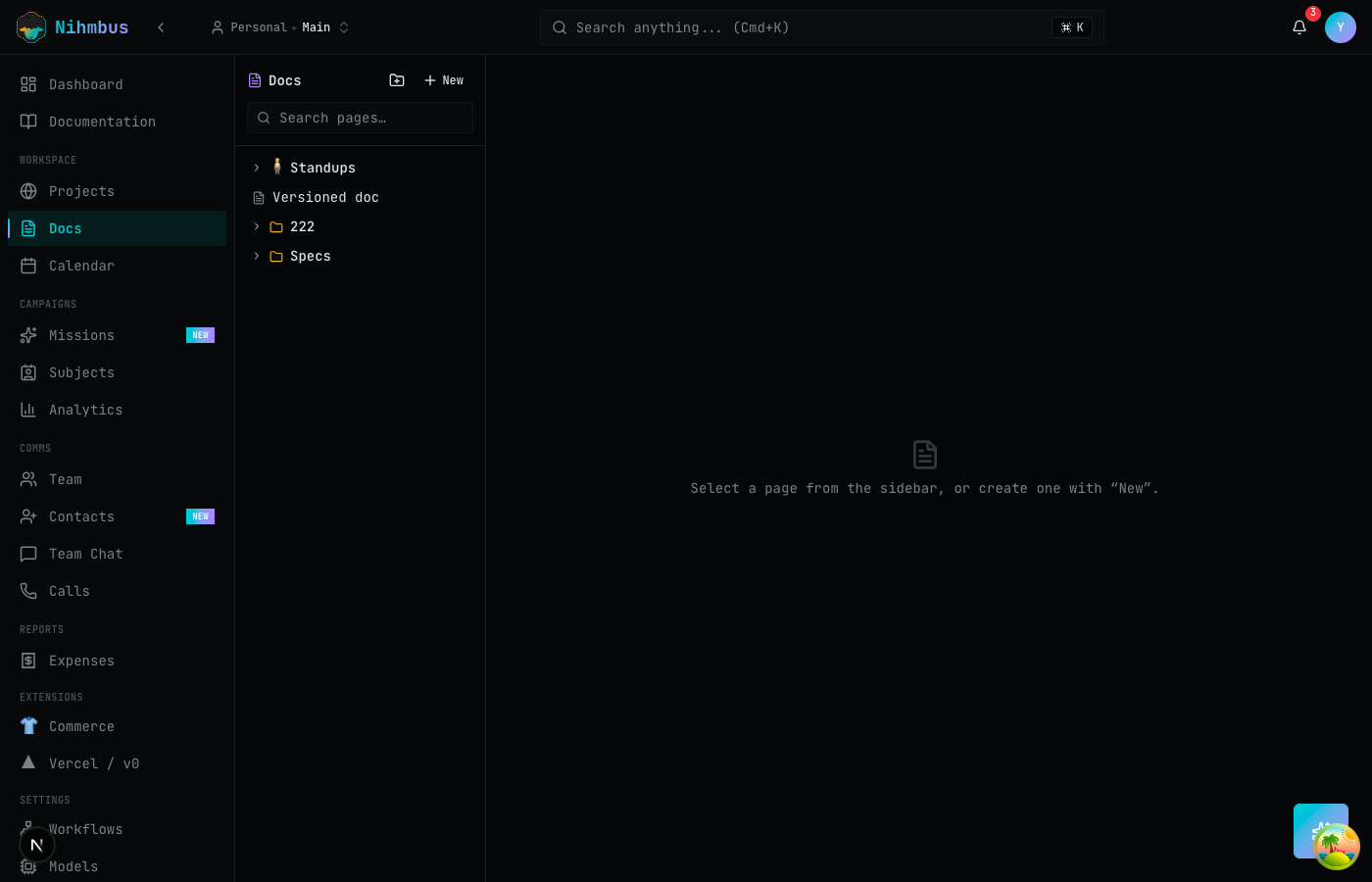
workspace doc pages with rich markdown, nested tree navigation, and revision history. create brand guidelines, campaign playbooks, meeting notes — all versioned and searchable.
version history
every document save creates a revision. compare revisions, restore old versions, and see who changed what. the agent can read any revision when grounding its responses.
tldraw canvases
visual design canvases powered by tldraw — whiteboard, wireframe, and diagram in the same tool. scope canvases to a project, mission, or subject.
standups
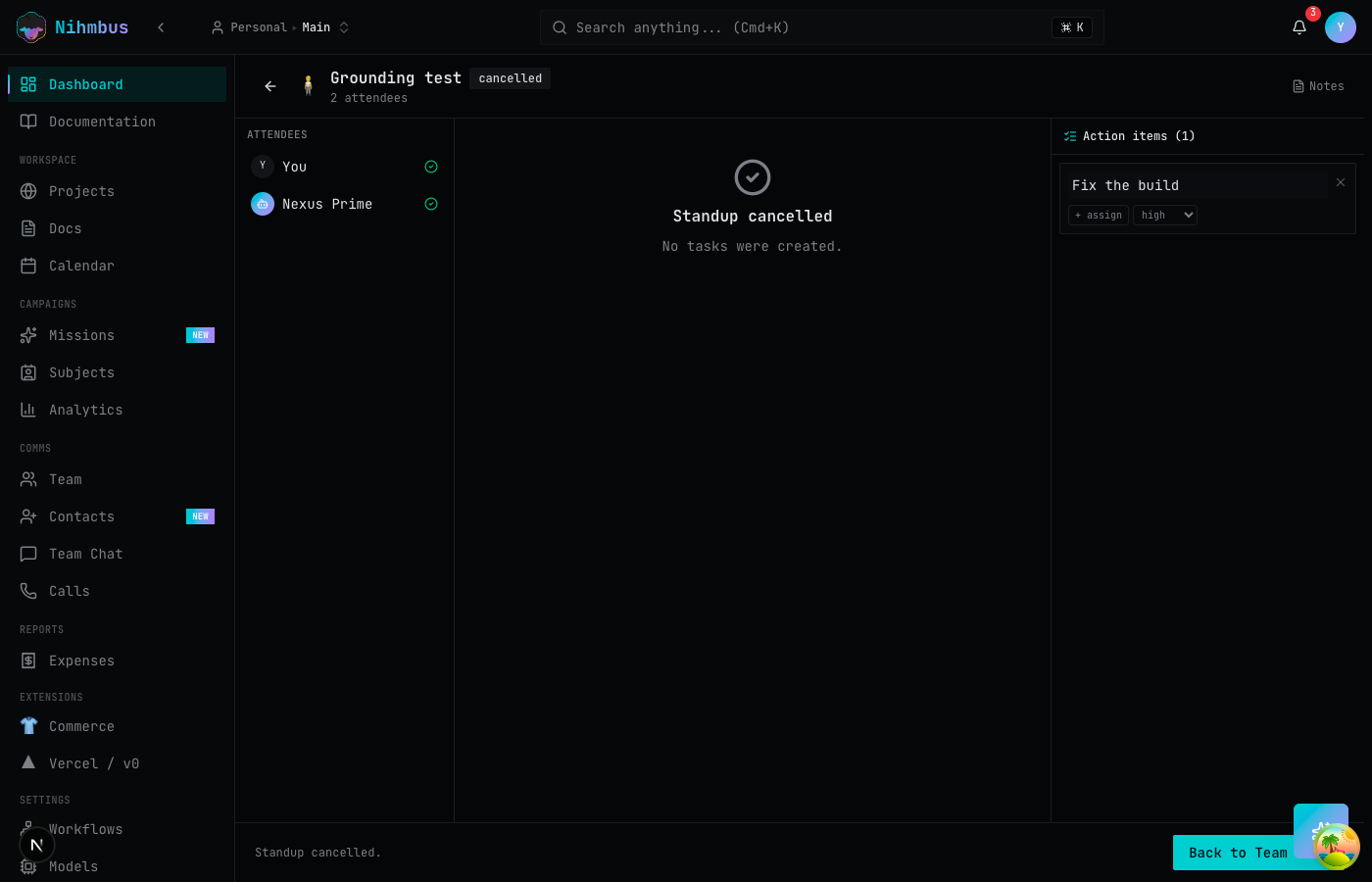
AI-facilitated daily standup meetings. timed round-robin (yesterday / today / blockers), an AI facilitator that listens and auto-generates action items, and a live action-item document.
time tracking
start/stop timers on any ticket. billable and non-billable entries with optional rate overrides. time data flows into project analytics and expense reports.
GitHub Projects sync
bidirectional sync with GitHub Projects v2. import a GitHub project, map its status fields, and keep both sides in sync. the agent can triage GitHub issues from nihmbus.
workspace docs
rich-text docs, built into the platform.
rich markdown documents with tree navigation, revision history, and breadcrumb linking. the agent reads docs when grounding content generation. create brand guidelines, playbooks, and meeting notes in the same workspace as your projects.
AI-facilitated standups
yesterday, today, blockers — with auto action items.
timed round-robin standups with an AI facilitator. each participant reports what they did, what they're doing, and what's blocking them. the AI drafts action items in real time. convert action items to tickets with one click.
extensible
extend project management with your own tools.
extensions can add custom views, ticket kinds, field types, and workflow triggers. the same extension model that powers the rest of the platform.
extension-powered views
extensions can contribute custom views — a Gantt chart, a sprint burndown, a resource heatmap. same data, new presentation. UI panels are loaded via Module Federation.
custom ticket kinds
extensions can register new ticket kinds beyond the built-in set. an HR extension might add 'interview' and 'offer-letter' kinds with their own fields and workflows.
workflow-triggered actions
pair project events with workflows. when a ticket moves to 'Done', trigger a notification, update a dashboard, or kick off the next phase of a mission. fully automated.
faq
questions about projects & docs
why not use a separate project management tool?
tickets, projects, and views are native to the same platform that runs your missions, content, inbox, and CRM. the agent can create a ticket from a standup action item, link it to a mission, assign it to itself, and close it when the work is done — no integration layer, no context-switching between tools.
why not use a separate wiki?
documents live in the same workspace as your projects. the agent can read docs when grounding content, create docs from standup action items, and link docs to tickets. revision history, tree navigation, and rich markdown are all built in — no second tool to maintain.
can the agent manage tickets?
yes. the agent can create, update, assign, and close tickets. it can also query the backlog, prioritize work, and triage incoming items. in supervised mode, mutating actions are filed as decisions for human approval.
does GitHub sync work bidirectionally?
yes. import a GitHub Project v2 and map its status fields to your nihmbus project. changes in either direction sync automatically. the agent can triage GitHub issues from the nihmbus inbox.
what are standups?
AI-facilitated daily standup meetings. each participant gives their yesterday / today / blockers in a timed round-robin (5 min each by default). an AI facilitator listens and auto-generates action items into a live document. action items can be converted to tickets automatically.